FMCSA Revokes 121 ELDs: How to Choose Your Next Provider
FMCSA revoked 121 ELDs on November 12, 2026. Learn how to check your device, preserve records, and choose a registered replacement provider.

On November 12, 2026, FMCSA pulled 133 electronic logging devices off its Registered Devices List. Of those, 121 were involuntary revocations by the agency, and 12 were voluntary withdrawals by the providers themselves. The U.S. Department of Transportation called it the largest ELD revocation in FMCSA history.
Blue Ink Tech put together this ELD replacement guide for carriers checking their next steps. If your device is on that revoked list, start by confirming the notice that applies to it. This guide covers what the revocations mean, how to check your own ELD status, what to do during the transition, and what to look for in a replacement provider so you are not scrambling through this again.
Key Takeaways: FMCSA ELD Revocations and Choosing a Replacement
- FMCSA revoked 121 ELDs and accepted 12 self-revocations on November 12, 2026, removing 133 devices from the Registered Devices List.
- Affected carriers must stop using revoked devices immediately and switch to paper logs or logging software that can record required HOS data.
- Continuing to use a revoked ELD after the applicable enforcement date can lead to a citation and an out-of-service order.
- Self-certification means the provider tested its own device, so carriers should verify registration status and ask about ongoing compliance.
- Blue Ink Tech recommends checking the exact registered device, testing driver tasks, and reviewing support and contract terms before purchasing.
What FMCSA's ELD Revocations Mean for Your Business
What Happened on November 12, 2026
FMCSA's enforcement action targeted devices that federal investigators found were being used to falsify HOS records. According to the DOT announcement, investigators documented providers that let carriers wipe driving time through support hotlines, upload fabricated logs during active roadside inspections, and record mathematically impossible driving speeds.
Of the 133 total removals, 121 were revoked by the agency and 12 were voluntarily withdrawn by their providers after failing to meet FMCSA readiness standards.
This was not the first round of removals in 2026. FMCSA had already removed devices earlier in the year. The November announcement makes checking the specific device listing a practical first step before any purchase.
What "Revoked" Means: Devices vs. Providers
FMCSA revokes specific device models, not necessarily entire companies. A provider that sells multiple ELD models might have one revoked while others remain registered. That distinction matters when you are checking whether your current ELD is affected.
The revocation removes that specific device from the Registered Devices List. Once removed, it no longer satisfies the ELD mandate under 49 CFR Part 395. A driver using a revoked device after the applicable enforcement date is treated as operating without a valid ELD, which can result in the citation and out-of-service action described in the agency notice.
Registered vs. Self-Certified: What Those Terms Actually Mean
Every ELD on FMCSA's list is self-certified. The provider, not FMCSA, tests the device and states that it meets the technical specifications in the ELD rule. FMCSA maintains the registry but does not pre-approve or independently test each device before it goes on the list.
Registration is a starting point for evaluation, not a guarantee against later removal. A device can sit on the registered list for years before FMCSA finds problems during an investigation. Carriers cannot assume that registration alone means long-term compliance.
The distinction matters when you are shopping for a replacement. "Registered" means the provider filed paperwork and self-certified. It does not mean FMCSA audited the device or vouched for the company behind it. Asking about the provider's compliance history and update practices gives you more information than the registration status alone.
What to Do if Your ELD Was Revoked
Check the FMCSA Revoked ELD List for Your Exact Device
Go to the FMCSA Revoked ELD list and search by device name, model number, or ELD identifier. Match the exact model and software version to what is installed in your truck. A different model from the same provider may still be registered.
If you are not sure which model you have, check the ELD settings screen in your app. Most devices display the model number and ELD identifier there. You can also find this on the original order packing slip or by contacting your provider.
Follow FMCSA's Official Instructions
FMCSA advises affected carriers and drivers to take two steps. First, stop using the revoked ELD and switch to paper logs or logging software that can record required HOS data. Second, replace the revoked device with a compliant ELD from the Registered Devices List before the enforcement date in your device-specific notice.
After the enforcement date, a driver still using a revoked device faces a 49 CFR 395.8(a)(1) citation for "no record of duty status" and an out-of-service order.
Preserve Your Existing Records Before Switching
Before you disconnect the old device, export and save every record you can. Download your HOS logs, DVIR history, fuel receipts, IFTA mileage reports, and any stored documents through the ELD app or web portal.
Save copies to your own storage, not just the provider's cloud. If the old provider shuts down or loses access to its systems, those records may disappear with it.
You are required to retain HOS records for the current day plus the previous seven days in the cab, and six months of records in the back office. Protect that data before starting any transition.
Move to Paper Logs During the Transition
Paper logs are a legal fallback during the replacement period. Drivers should carry blank RODS forms and fill them out according to standard HOS rules until the new ELD is installed and working. The paper log period is temporary, not a long-term option.
Make sure each driver knows how to complete a paper log correctly. Common mistakes include missing location entries, incomplete grid lines, and forgetting to record the trailer number. An officer who finds incomplete paper logs during the transition period may still cite the driver.
If your drivers have not filled out a paper log since the ELD mandate took effect, take 15 minutes to walk through the process before sending them out. An incorrect paper log can draw the same scrutiny as a missing one.
How to Evaluate an ELD Provider Before Switching
Verify the Exact Device on FMCSA's Registered List
Do not take the provider's word alone. Go to the FMCSA Registered ELD list and search for the exact device name, model number, and ELD identifier for the product the provider is selling you. Registration status can change at any time, so check the list close to the date you plan to purchase.
A provider with multiple registered models and a history of staying on the list without interruption is a different proposition than one that recently returned after fixing deficiencies. Past revocations are visible on the FMCSA Revoked ELD list, so review both lists before committing.
Ask Who Develops and Maintains the ELD
Some ELD brands are white-label products built by a third-party manufacturer and resold under a different name. If a provider does not build or maintain its own hardware and software, it may have less control over how quickly compliance issues get addressed.
Ask the provider directly: Do you build your own hardware? Do you write and update the software? Where is your engineering and support team located? Ask who can authorize a software fix, who tests it, and how the provider notifies carriers when action is needed. Development ownership alone does not prove compliance or response speed.
Test Log Handling and Roadside Data Transfers
Before committing, walk through the full driver experience. Create a test log entry, edit it, certify the day, and run a practice data transfer using the methods your device supports.
Under the ELD rule, compliant devices must support at least one complete set of data transfer methods: either telematics (web service and email) or local transfer (USB and Bluetooth). Ask the provider which set is supported and test that method before going live.
A test drive reveals how the app handles duty status changes, available hours calculations, DVIR submissions, and log corrections. Have a driver perform these tasks during the demonstration, then identify any training needed before dispatch.
Check Support Before You Need It
Ask the provider what happens when a driver calls early on a Monday morning with a malfunction. What are the support hours? Is the team based in the U.S.? Can they troubleshoot over the phone, or do they just send an email form?
ELD malfunctions have specific reporting and fallback requirements under the mandate. If support cannot walk a driver through the malfunction process in real time, a roadside inspection can turn into an out-of-service order. Support quality is not a bonus feature. It is an operational requirement.
Compare the Full Cost and Contract Terms
Some ELD providers lock carriers into long-term contracts with early termination fees. Others charge monthly with no commitment. When you are already replacing a revoked device on short notice, the last thing you need is another contract you cannot exit if something goes wrong.
Look beyond the monthly rate. Factor in hardware costs, activation fees, replacement device costs, and whether the plan includes IFTA tracking, DVIRs, and diagnostics or charges extra for each feature. Ask for the full cost breakdown in writing before signing anything.
Plan the Switch Without Losing Access to Logs
Switching ELD providers mid-cycle can leave required records split between systems. Plan the transition for a time when your drivers can carry paper logs as a bridge. Here is a practical sequence:
- Export all data from the old ELD. Download every log, DVIR, document, and IFTA record to your own storage.
- Issue paper RODS to every affected driver. Drivers need blank forms and a reminder of how to fill them out correctly.
- Install and activate the new ELD. Connect the hardware, verify engine synchronization, and confirm the device connects to the truck's diagnostic port and reads the required data elements.
- Carry accessible records of recent duty status. Drivers must have the current day plus the previous seven days of records available during a roadside inspection. Keep exported records from the old ELD accessible in the cab. Do not attempt to fabricate or overwrite automatically recorded driving events in the new system.
- Verify data transfers work. Before relying on the new ELD for a roadside inspection, confirm the device can complete a data transfer using its supported method (telematics or local). A failed transfer during an inspection creates problems you can avoid with a quick test.
- Archive the old records. Retain HOS records for the required six months and apply the separate retention rules for IFTA, DVIRs, and other documents. Keep paper copies of the transition period logs in a separate file.
Do not wait until the last week before the enforcement date to start. Shipping delays, installation issues, and driver questions all take more time than most carriers expect.
Questions to Ask Before Signing with an ELD Provider
Use this checklist during your evaluation. Any provider that cannot answer these questions clearly deserves a closer look.
- Is the exact device model and software version currently on FMCSA's Registered Devices List?
- Has any device from this provider ever been revoked? If so, what happened and how was it resolved?
- Does the provider build its own hardware and write its own software, or is the product built by a third party?
- Which data transfer methods does the ELD support (telematics: web service and email, or local: USB and Bluetooth)?
- Can I export all of my HOS logs and records if I decide to leave?
- What are the support hours, and is the team U.S.-based?
- Is there a contract? If so, what is the minimum term and early termination cost?
- Does the plan include IFTA tracking, DVIRs, diagnostics, and document capture, or are those add-on charges?
- How does the provider handle FMCSA rule changes and software updates?
- Can I try the app and web portal before purchasing hardware?
Print this list and bring it to your calls with providers. The answers will tell you more than any sales page.
Choose Based on Demonstrated Performance
After a revocation, the temptation is to grab the first available ELD and move on. That approach can lead to another rushed replacement if the new provider has its own compliance issues. Spend a few days evaluating providers against the criteria above and pick one with a track record you can verify on the FMCSA registry.
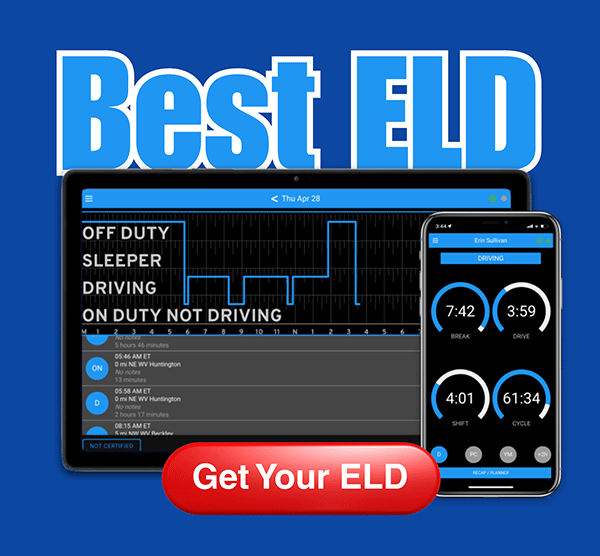
Blue Ink Tech builds its ELD hardware and software in-house at the company's headquarters in Huntington, West Virginia. The BIT ELD connects to your truck's diagnostic port over Bluetooth and handles HOS logs, IFTA mileage, DVIRs, document capture, and engine fault codes through one app.
Support is U.S.-based and available by phone at the West Virginia office, not routed through a third-party call center. Carriers can verify BIT ELD registration status directly on the FMCSA Registered Devices List by searching for "Blue Ink Tech." Month-to-month plans mean no long-term contract if you need to make a change.
If you want to see how BIT ELD handles log creation, editing, roadside data transfers, and back-office management, contact the Blue Ink Tech team to set up a demonstration.
FAQs About Revoked ELDs and Replacement Providers
What happens if I keep using a revoked ELD after the enforcement date?
A revoked ELD is treated the same as having no ELD. At a roadside inspection, the officer will cite 49 CFR 395.8(a)(1) for "no record of duty status" and place the driver out of service. That violation also affects your carrier's CSA score.
Can a revoked ELD come back to the registered list?
Yes. FMCSA's guidance states that if the provider corrects all identified deficiencies, the agency will place the device back on the Registered Devices List and inform the industry. FMCSA has done this with other devices in prior rounds. There is no guaranteed timeline for reinstatement, so do not wait on a maybe. Replace the device now and reconsider later if the old provider clears its deficiencies.
How do I know if my ELD is on the revoked list?
Visit eld.fmcsa.dot.gov and click "Revoked ELDs." Search by device name, model number, or ELD identifier. Match your exact device, because different models from the same provider may have different statuses on the registry.
Is a self-certified ELD the same as an FMCSA-approved ELD?
FMCSA does not approve or test ELDs before they go on the list. Providers self-certify that their devices meet the technical specifications in the ELD rule. Registration means the provider claims compliance. It does not mean FMCSA has independently verified or tested the device. The term "FMCSA-approved" is a common misunderstanding in the industry.
What records should I save before switching ELD providers?
Export your HOS logs, DVIRs, IFTA mileage, fuel receipts, and any stored documents. Keep the current day plus the previous seven days accessible in the cab. Retain HOS records for six months; apply the separate retention periods for other record types. Save everything to your own storage before disconnecting from the old provider's system.
What is the deadline to replace a revoked ELD from the November 12 action?
The November 12 DOT release contains conflicting language. One section says carriers have "up to 60 days." Another section instructs officers to cite and place drivers out of service for using revoked devices "on or after November 24, 2026." These statements are not consistent. Check FMCSA's device-specific enforcement notice at eld.fmcsa.dot.gov or contact the agency through its published support channels for your confirmed deadline.
What should I look for when comparing ELD providers?
Start with FMCSA registration status for the exact device model. Then ask who builds and maintains the hardware and software, what data transfer methods are supported, what the support hours and location are, whether there is a contract, and what features (IFTA, DVIRs, diagnostics, document capture) are included. Blue Ink Tech builds its ELD in-house and offers U.S.-based phone support from its West Virginia headquarters.